Deployment Guide

FlightHub 2 On-Premises

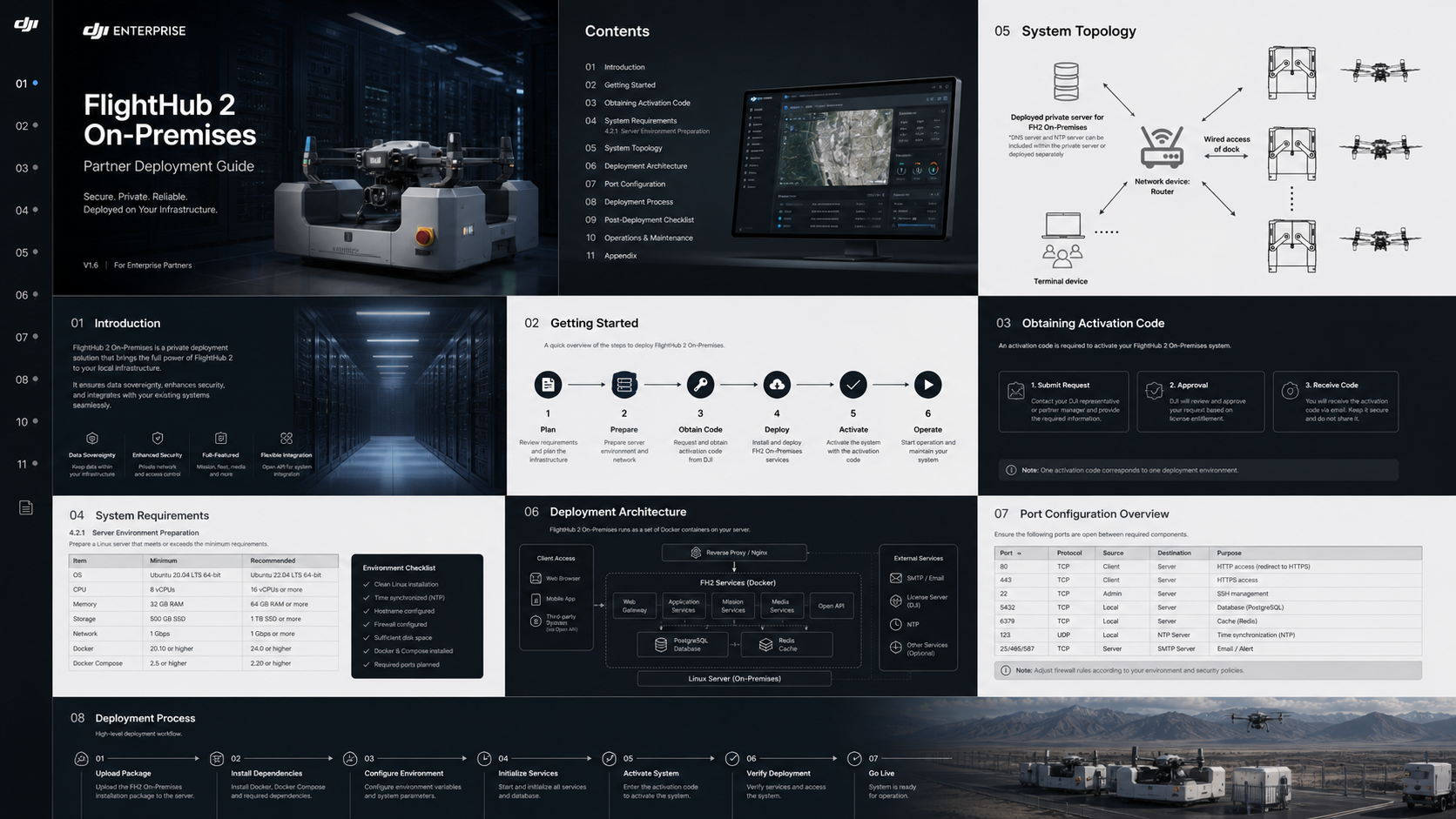
A customer-ready deployment deck for running FlightHub 2 on a local Linux server, with clear server, network, activation, firewall, and acceptance requirements.

V1.6 deployment edition Local Linux server Customer deployment readiness
01Why on-premises deployment matters
02Official system topology
03Server and license preparation
04Firewall and port planning
05Deployment readiness checklist

01 / Private Infrastructure

Deploy under the customer’s control, inside their own network boundary.

FlightHub 2 On-Premises is positioned for organizations that need private deployment, controlled access, local infrastructure governance, and clearer data-residency handling. The project should be planned as a complete IT deployment, not a simple software installation.

01

Private deployment

Run the platform on customer-controlled Linux infrastructure.

02

Access control

Limit operators, devices, and services by corporate network policy.

03

Operational continuity

Plan backups, updates, accounts, and maintenance windows before go-live.

04

Acceptance record

Keep a clean record of license, ports, accounts, validation results, and support ownership.

FlightHub 2 visual interface from DJI official page
Official DJI visual reference for FlightHub 2 operations interface.
02 / Official Topology

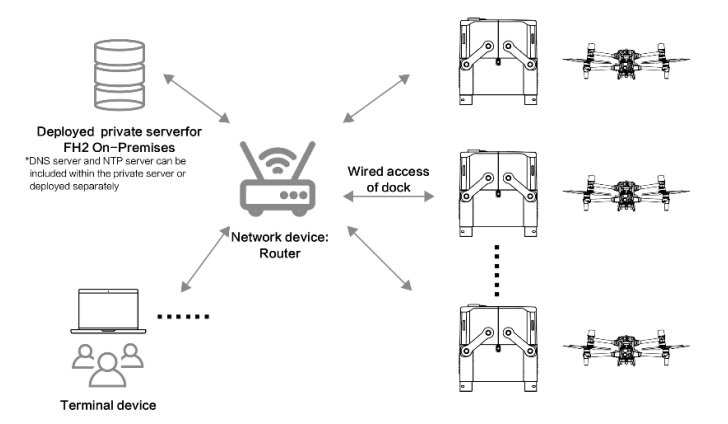
System topology for local server, router, terminal devices, docks, and aircraft.

In the standard topology, the deployed private server, terminal devices, and docks are connected through the customer network device. DNS and NTP services may be included within the private server or deployed separately according to customer IT policy.

NodeRole
Private serverRuns the FlightHub 2 On-Premises service stack and related local services.
Network routerProvides routing between server, operator terminals, and dock network access.
Terminal deviceOperator workstation accessing the web portal through browser.
DJI Dock + aircraftField operation endpoints connected through wired dock access and configured device network paths.
Official FlightHub 2 On-Premises system topology diagram
03 / Server Environment Preparation

Baseline server configuration before installation.

The configuration below provides a practical deployment baseline and should be increased according to fleet scale, livestream concurrency, optional services, and media retention policy.

ItemRecommended baselineDeployment notes
CPU8 coresIncrease for larger fleets or optional service modules.
Memory32 GB RAMUse higher memory for larger deployments.
Data disk1000 GB SSDSSD is required. Separate OS and data disks where possible.
NetworkAt least 100 Mbps stable LAN/WAN bandwidthEach dock requires roughly 5 Mbps for two concurrent livestreams.
OSUbuntu Server 22.04 LTSPrepare a clean supported Linux server image.
BrowserGoogle Chrome 120 or laterRecommended for FlightHub 2 On-Premises web interface.
04 / Obtaining Activation Code

Obtaining Activation Code

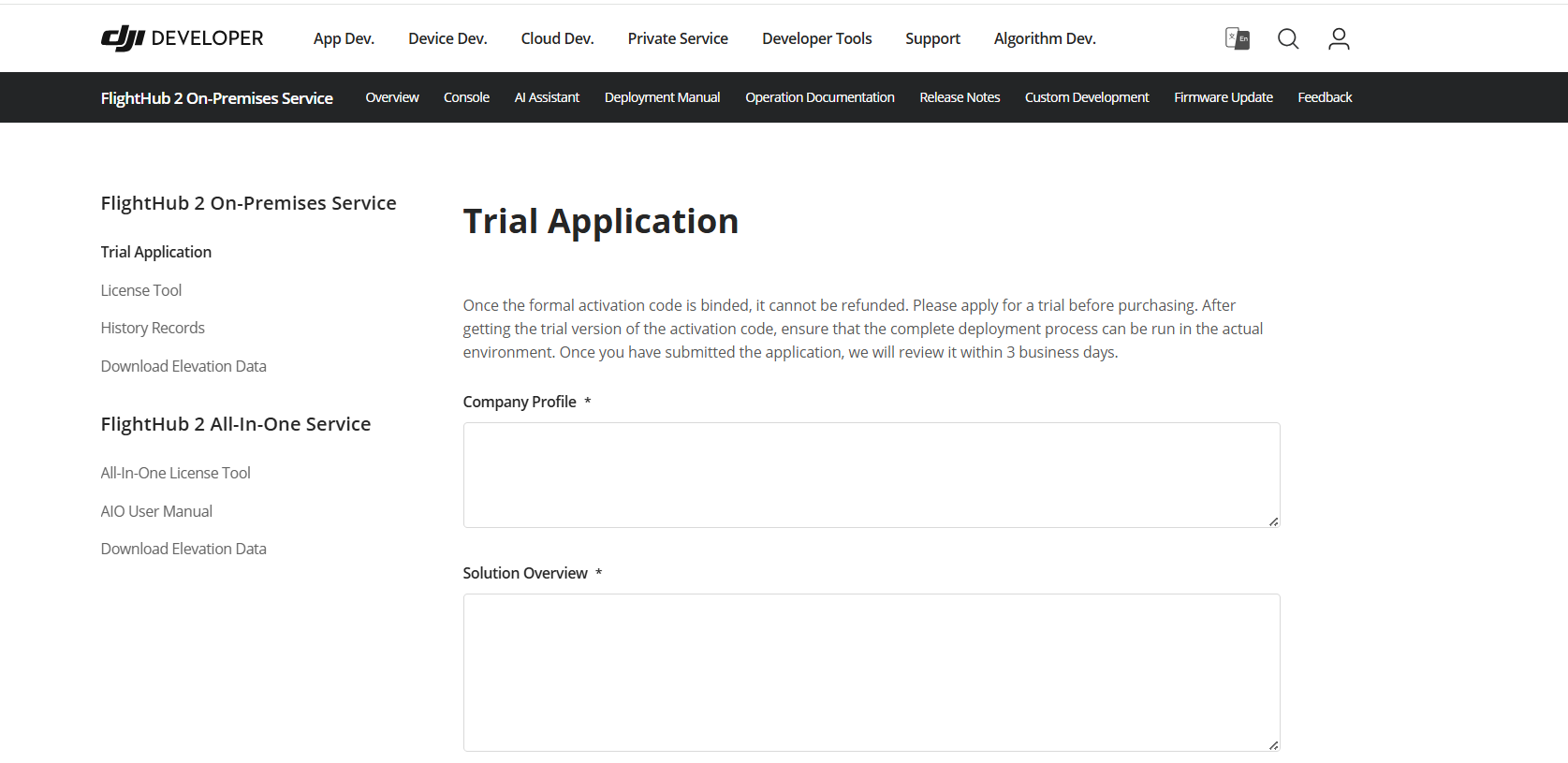
An activation code is required before FlightHub 2 On-Premises can be deployed and used. It can come from an approved trial or from a purchased service entitlement.

  • Register or log in to the DJI Developer website with the appropriate organization account.
  • Submit the FlightHub 2 On-Premises trial request or purchase inquiry through the official channel.
  • Use the received activation code to create or upgrade the license on the DJI Developer website.
  • Record license ID, service term, device capacity, and optional service scope for project handover.
DJI Developer FlightHub 2 On-Premises trial application page
DJI Developer trial application page for FlightHub 2 On-Premises activation code request.
05 / Deployment Workflow

A practical seven-step path from preparation to go-live.

01

Prepare

Confirm hardware, Ubuntu version, disk layout, static IP, DNS, certificate, firewall, and access policy.

02

Confirm

Check activation code, license scope, optional modules, firmware compatibility, and package version.

03

Fingerprint

Generate server fingerprint file on the target server when required.

04

Package

Create license and download installation package from official DJI channels.

05

Install

Upload, extract, run checks, configure service parameters, and start deployment.

06

Initialize

Set up organization, maps, elevation data, activation, and device binding.

07

Verify

Test login, telemetry, livestream, media upload, map display, and permissions.

06 / Firewall and Port Planning

Open only what the deployment needs. Keep management services protected.

Device-facing ports should be limited to known dock, remote-controller, LAN, VPN, or private APN ranges. Administrative services should not be exposed to the public internet.

Business and device access

Required for web access, MQTT onboarding, livestream, media upload, map services, and device communication paths.

80443123188388832000020001193580003080230812

Internal management only

Restrict deployment tool, dashboards, console, monitoring, metrics, message queue, and internal services to approved admin networks.

40004000080803080030801308113081530816
Recommendation: if docks connect through a private network or VPN tunnel, device-facing ports should be scoped to private CIDR ranges rather than exposed broadly.
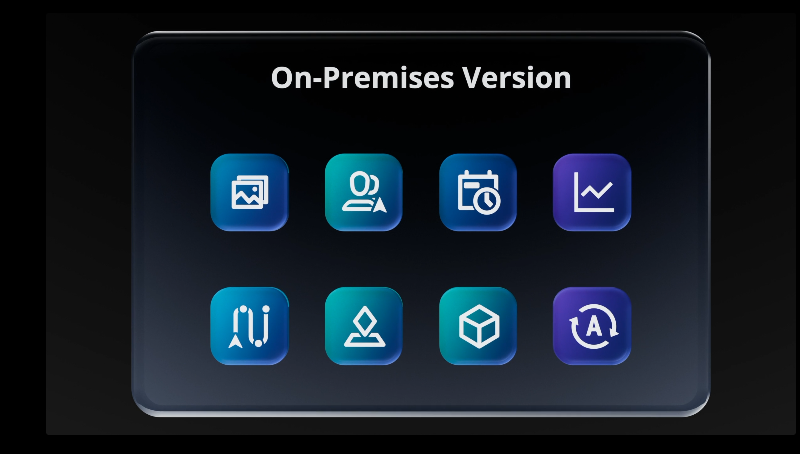
DJI FlightHub 2 On-Premises features synchronized with DJI FlightHub 2
Official DJI FlightHub 2 On-Premises visual: Features Synchronized With DJI FlightHub 2.
DJI Dock deployment visual
Field endpoints must be integrated into the customer-approved network and security design.
07 / Responsibility Boundary

Separate software deployment scope from customer IT governance.

Deployment support can be provided during implementation, while the customer IT team remains responsible for corporate firewall, VPN, endpoint, SIEM, backup, certificate, vulnerability-management, and final compliance approval.

No public admin exposure

Keep O&M consoles, monitoring, and internal services restricted.

Certificate policy

Confirm public CA, customer CA, or approved self-signed certificate before go-live.

Backup and logs

Define backup path, retention period, and failure escalation before acceptance.

Credential hygiene

Do not hardcode credentials in shared documents; rotate temporary passwords.

08 / Deployment Readiness Checklist

The handover should prove the system is ready to operate.

CategoryChecklist item
CommercialActivation code, service term, capacity, optional modules, and handover owner confirmed.
ServerUbuntu 22.04 LTS, SSD data disk, CPU/RAM/storage sizing, static IP, and admin access ready.
NetworkPorts opened, source ranges restricted, routing conflicts checked, VPN/private APN path confirmed where applicable.
SecurityCertificate, firewall ownership, account policy, backup policy, and log retention confirmed.
DevicesDock, aircraft, and remote-controller firmware compatibility confirmed against official list.
ValidationLogin, device binding, telemetry, mission operation, livestream, media upload, and permissions tested.
HandoverAdmin accounts, license records, backup path, update policy, and support route documented.
09 / Deployment Acceptance

“A successful FlightHub 2 On-Premises project is not only software installed on a server. It is a complete operational environment: licensed, reachable, secure, tested, and handed over with clear ownership.”

Deliverable

Deployment record

Server, package, license, domain/IP, certificates, and port rules.

Deliverable

Validation evidence

Login, binding, telemetry, livestream, media upload, map display, and permissions.

Deliverable

Support route

Operational owner, maintenance window, escalation path, and update policy.

10 / Downloads and Reference

Deployment documents and official product resources.

Use the links below to access the complete FlightHub 2 On-Premises deployment manual and the detailed Quick Start Guide. Final deployment settings should be confirmed against the actual license scope, supported firmware list, customer cybersecurity policy, and site network design.

Additional product reference: DJI Enterprise FlightHub 2 On-Premises official product page.

01Official deployment manual
02Detailed Quick Start Guide
03Local Linux server deployment context
04System topology, server baseline, ports, checklist
01 / 11